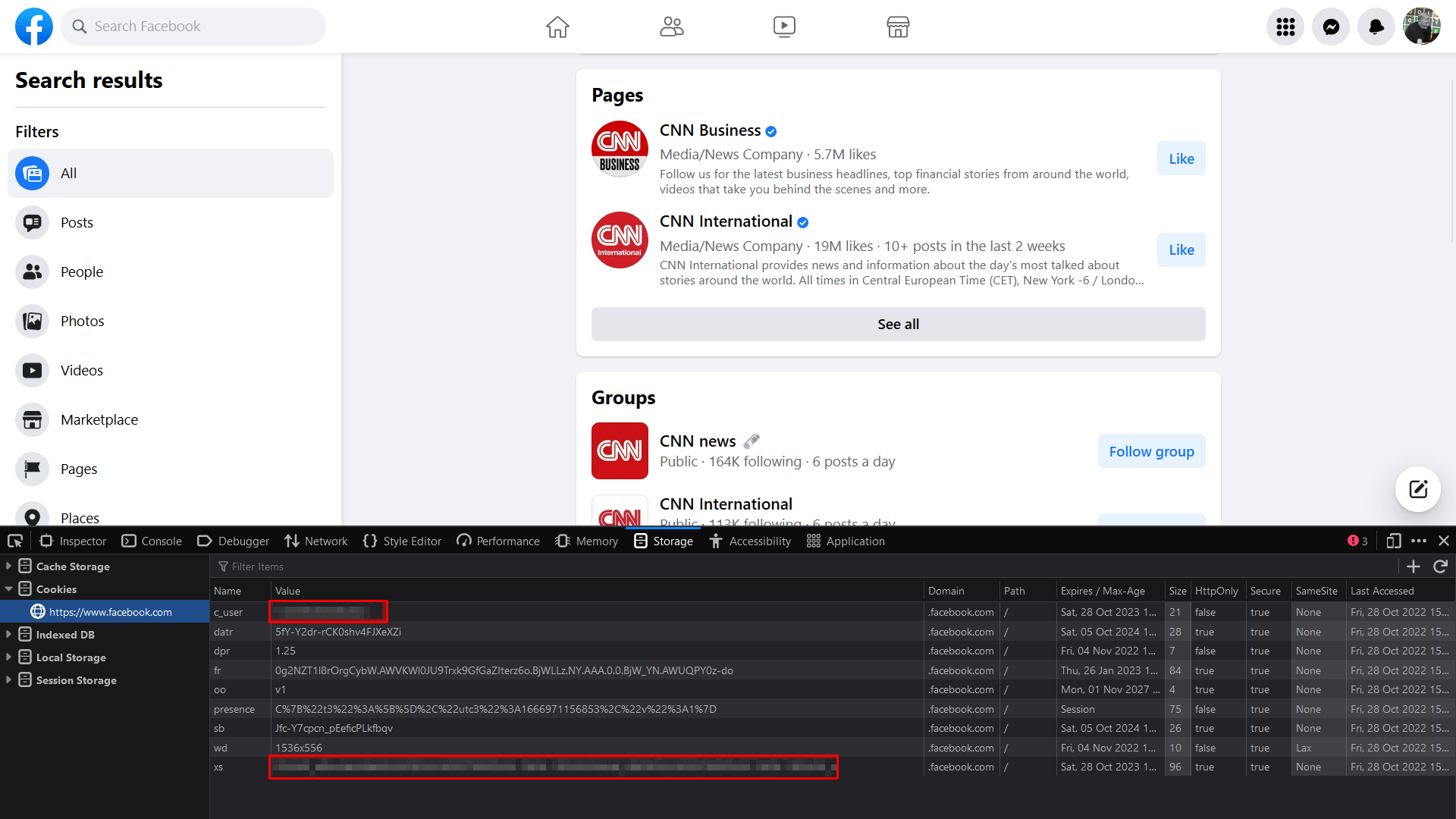
In this tutorial you will learn how to get Facebook user ID (xs) and user session ID (c_user). The process will be demonstrated for Firefox browser, which is the most popular one today. Actually almost the same procedure will work for Chrome and other similar browsers.
First of all make sure you are logged in to a Facebook account.
Open Facebook in Firefox, press Ctrl+Shift+I to open the Developer Tools, then navigate to the “Storage” tab (called “Application” in Chrome). There, you will see your Facebook c_user and xs values. Double-click on them and copy their values.